MyFaces 4.1.3
Tobago 6.11.0
上下の余白(スタイル的にはmargin-bottom)
縦に入力フィールドを配置した時に、上下の余白を狭くしたい。
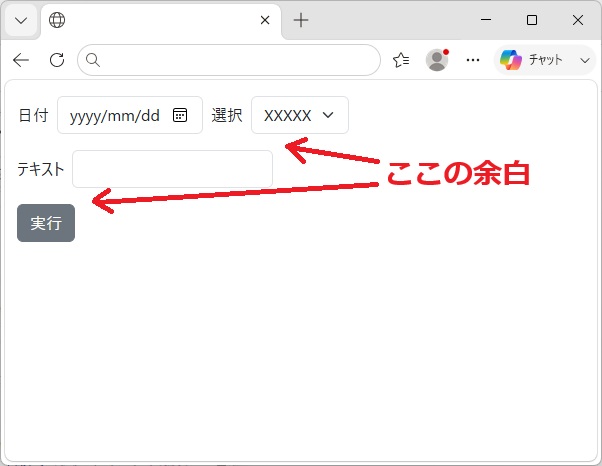
autoSpacing="true"を"false"に変更
<tc:flexLayout alignItems="center">
  <tc:label value="日付" />
  <tc:date autoSpacing="true" value="" />
  <tc:label value="選択" />
  <tc:selectOneChoice value="">
    <tc:selectItem autoSpacing="true" itemLabel="XXXXX" itemValue="" />
  </tc:selectOneChoice>
</tc:flexLayout>
<tc:flexLayout alignItems="center">
  <tc:label value="テキスト" />
  <tc:in autoSpacing="true" value="" />
</tc:flexLayout>
<tc:flexLayout alignItems="center">
  <tc:button autoSpacing="true" label="実行" />
</tc:flexLayout>
  <tc:button label="実行" />
入力コンポーネント(date、selectOneChoice、in、button)のautoSpacing="true"を"false"に変更したら余白は無くなる(autoSpacingのデフォルトはtrue)。
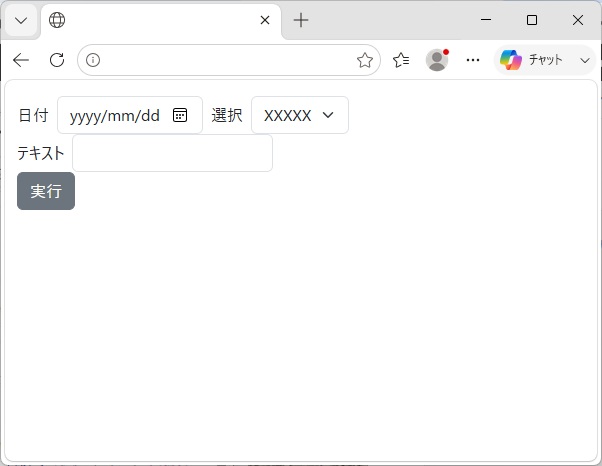
これはこれで余白が無くて詰め込みすぎなので、微調整してみる。
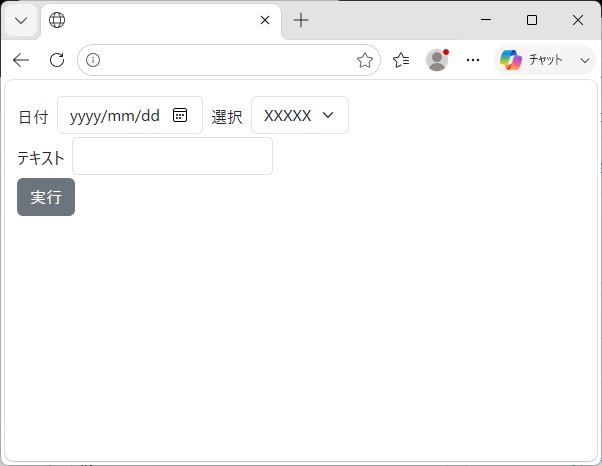
スタイルtobago-auto-spacingを指定
属性autoSpacingでどこが変わるのか確認してみると、
ブラウザのソース(整形とコメント追加)
<!-- 1行目の日付と選択 -->
<tobago-flex-layout id='page:j_id_4' class='flex-row align-items-center'>
  <label class='col-form-label' id='page:j_id_5' for='page:j_id_4'>日付</label>
  <tobago-date id='page:j_id_6' class='tobago-auto-spacing'>
    <div class='input-group'>
      <input type='date' name='page:j_id_6' id='page:j_id_6::field' value='' max='9999-12-31' class='form-control'>
    </div>
  </tobago-date>
  <label class='col-form-label' id='page:j_id_7' for='page:j_id_4'>選択</label>
  <tobago-select-one-choice id='page:j_id_8' class='tobago-auto-spacing'>
    <select id='page:j_id_8::field' name='page:j_id_8' class='form-select'>
      <option value='' selected='selected'>XXXXX</option>
    </select>
  </tobago-select-one-choice>
</tobago-flex-layout>

<!-- 2行目のテキスト -->
<tobago-flex-layout id='page:j_id_a' class='flex-row align-items-center'>
  <label class='col-form-label' id='page:j_id_b' for='page:j_id_a'>テキスト</label>
  <tobago-in id='page:j_id_c' class='tobago-auto-spacing'>
    <input type='text' name='page:j_id_c' id='page:j_id_c::field' value='' class='form-control'>
  </tobago-in>
</tobago-flex-layout>

<!-- 3行目の実行ボタン -->
<tobago-flex-layout id='page:j_id_d' class='flex-row align-items-center'>
  <button type='button' id='page:j_id_e' name='page:j_id_e' class='tobago-button btn btn-secondary tobago-auto-spacing'>
    <tobago-behavior event='click' client-id='page:j_id_e'></tobago-behavior>
    <span>実行</span>
  </button>
</tobago-flex-layout>
属性autoSpacingのtrue/falseにより、HTMLにあるtobago-date/tobago-select-one-choice/tobago-in/buttonタグのclass属性にあるスタイルtobago-auto-spacingの定義の有無に影響があった。
標準のテーマライブラリ(tobago-theme-standard-6.11.0.jar)を使っており、その中の
/META-INF/resources/tobago/standard/6.11.0/css/tobago.css
スタイル定義を確認すると、以下の通りとなっていた。
.tobago-auto-spacing {
  margin-bottom: 1rem;
}
自分のプロジェクトのスタイルシートに以下のように定義すると余白が狭くなった。
.tobago-auto-spacing {
  margin-bottom: 0.2rem;
}
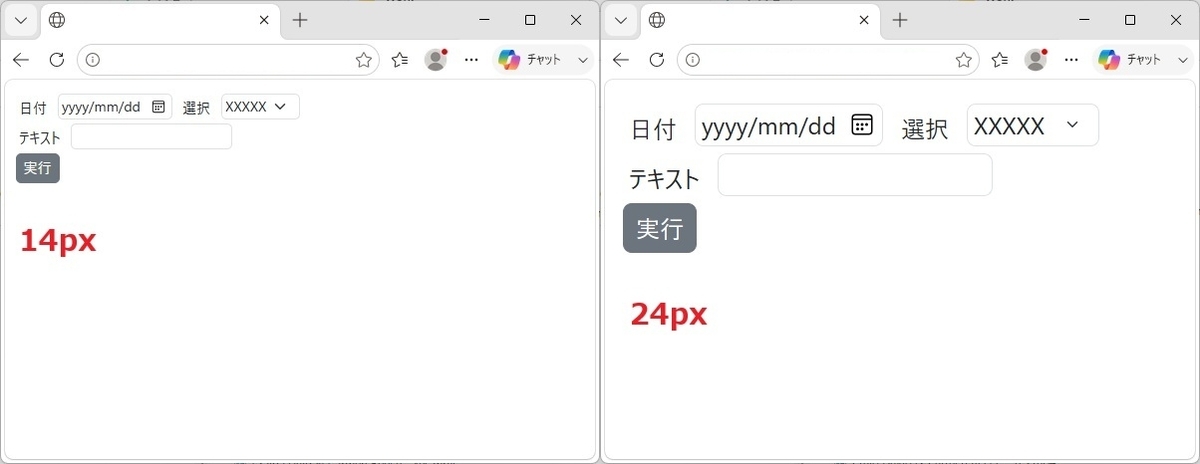
文字の大きさやら入力コンポーネントの大きさ
折角なのでHTMLのソースから各スタイル(col-form-label、form-control、form-select、btn)のpaddingを指定して、文字の大きさやら各コンポーネントの余白やら変えてみた。
html {
  font-size: 14px;  /* 24px */
}
.col-form-label {
  padding: 0.25rem;
}
.form-control {
  padding: 0.1rem 0.25rem;
}
.form-select {
  padding: 0.1rem 2.25rem 0.1rem 0.25rem;
}
.btn {
  padding: 0.25rem 0.5rem;
}